

Best Posture Corrector for Desk Workers 2026
Table of Contents
- Why Desk Workers Need Posture Support
- Do Posture Correctors Work: What the Evidence Shows
- Posture Corrector Types and How They Differ
- How Long to Wear a Posture Corrector Each Day
- Posture Corrector Buying Guide: What to Look For
- Desk Ergonomics for Better Posture Beyond the Corrector
- Common Mistakes That Undermine Posture Correction
- Frequently Asked Questions
Last Updated: October 17, 2026
Why Desk Workers Need Posture Support
Spending eight hours a day hunched over a keyboard rewires your body: shoulders roll forward, the head drifts ahead of the spine, and the lower back flattens against the chair. This isn't laziness, it's the default position your muscles adopt without reminders.
The problem compounds: rounded shoulders and forward head posture create constant tension in the upper back and neck, breathing becomes shallower, mid-afternoon headaches appear, and by week's end the whole spine feels compressed.
This is where a posture corrector enters the picture. At 0ne Less Thing and Apparel, we understand that desk workers face unique postural challenges that generic wellness advice doesn't address. A corrector gently pulls your shoulders back and aligns your spine, helping muscles remember what good posture feels like; repeated alignment trains your nervous system to hold better positioning without the device.

The best posture corrector for desk workers isn't about forcing you into an uncomfortable position. It's about creating a consistent reminder that gradually retrains muscle memory. Think of it as a physical cue that interrupts the slouch cycle before it becomes permanent.
Do Posture Correctors Work: What the Evidence Shows
Posture correctors work as a short-term training and awareness tool, not as a permanent fix. The honest answer is that they can help desk workers interrupt the slouch cycle and build better positioning habits, but the evidence does not support wearing one as a stand-alone cure for chronic pain or structural problems.
The mechanism is straightforward. A wearable band applies gentle traction across the shoulders and upper back, giving your nervous system constant feedback about where your shoulders and spine are. Your rhomboids and middle trapezius engage to hold the position, and over repeated sessions those muscles get more comfortable doing that work.
What the evidence does not show is that a corrector strengthens your muscles for you; passive support can reduce muscle engagement if worn too long. The most effective pattern combines three elements: the corrector as a cue, targeted stretching for tight chest and front-shoulder muscles, and strengthening for the upper back and core. Desk workers who follow that combination typically notice better sitting comfort and less end-of-day stiffness within a few weeks, though the timeline varies with posture history and wear consistency.
A practical, evidence-aligned wear schedule looks like this:
- Week 1: 20-30 minutes per day, during your most slouch-prone work block.
- Weeks 2-3: Build to 1-2 hours per day, split into shorter sessions.
- Week 4 and beyond: Cap at 3-4 hours per day, and only during focused desk work.
- Every session: Remove the corrector for at least as long as you wore it, and use that time for movement or stretching.
Another limitation is that posture correctors address position, not pain. If you have persistent pain, numbness, tingling, or a known spinal condition, a consumer corrector is not a substitute for an assessment from a qualified professional. Use the device as a mild reminder and seek individualized guidance for anything beyond ordinary desk-work stiffness.
The practical takeaway: a corrector is a useful bridge that helps you feel better alignment and return to it. It works best paired with a desk setup that supports neutral posture and a daily movement habit, expect it to support your efforts, not replace them.
Posture Corrector Types and How They Differ
Not all posture correctors are created equal; understanding the differences helps you pick the right type.
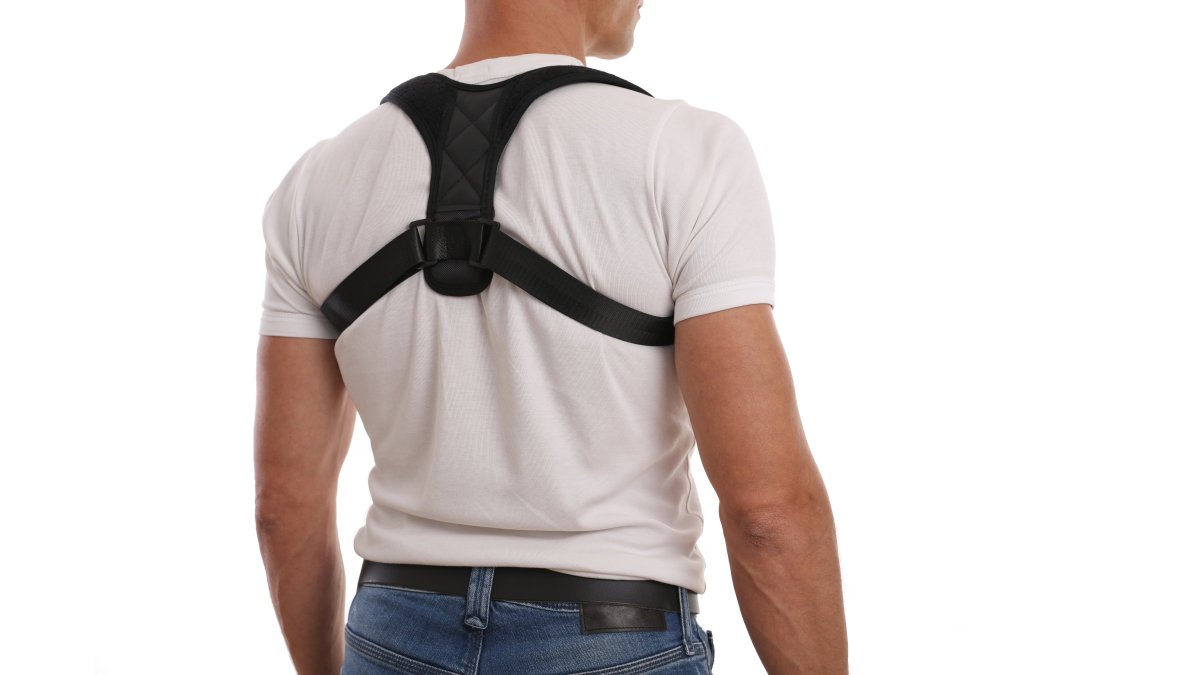
Wearable bands and straps are the most common option for desk workers. These typically wrap around your shoulders and upper back, gently pulling them into alignment. Our Back Posture Corrector Band exemplifies this category, it's designed to be invisible under your shirt while still delivering consistent alignment cues throughout your workday.

Rigid posture braces use structured materials and wider back coverage for stronger correction. They're more noticeable under clothing and restrictive during movement, but suit people with severe postural issues, injury recovery, or significant chronic pain.
Smart posture sensors vibrate or alert when you slouch. They provide no physical support but train awareness, useful for desk workers wanting a subtle reminder. The downside: charging and app connectivity.
Ergonomic seat cushions and lumbar supports address posture from the chair, supporting the lower spine's natural curve to reduce slouching. They're often used alongside a wearable corrector.
For desk workers specifically, wearable bands strike the best balance between effectiveness, comfort, and practicality. They stay in place during typing, don't interfere with video calls, and work under most office clothing without drawing attention.
How Long to Wear a Posture Corrector Each Day
The most common mistake is wearing a posture corrector all day, every day, this weakens the very muscles you're trying to strengthen. Muscles need to work, not just be held in place.
Start with 20-30 minutes per day for the first week so your body adapts and muscles engage without fatigue. Gradually build to 1-2 hours daily over two weeks, then extend to 3-4 hours by week three if the corrector stays comfortable.
Avoid more than 4-6 hours in a single day, even once accustomed. Muscles need breaks to strengthen, like exercise, constant tension without recovery prevents adaptation.
The ideal schedule: wear it during your most slouch-prone periods (typically mid-morning and early afternoon as fatigue sets in), then remove it for the remaining hours, maintaining muscle engagement without dependency.
Listen to your body: reduce duration if your back feels fatigued or sore. Mild adjustment discomfort is normal; sharp pain means stop and reassess.
Posture Corrector Buying Guide: What to Look For
Most buying guides list the same features: breathable material, adjustability, discreet design. Those matter, but they don't help you choose between two correctors that look fine on paper.
Use this desk-worker testing rubric to compare options on the factors that actually predict whether you will wear one consistently.
1. Seated comfort over a full work block. Sit at your desk for at least 45 minutes.
2. Clothing and video-call compatibility. Wear it under your actual work shirt. Check for visible straps, shoulder-blade bulges, and shifting when you reach for a mouse or lean back.
3. Movement and desk setup compatibility. Test it while adjusting a standing desk, swiveling, and reaching across your desk.
4. Adjustability and fit range. Look for at least two adjustment points (shoulder straps and a torso strap) to tune the pull, and check sizing against your measurements.
5. Ease of on and off. Time yourself. If it takes more than a minute or needs a mirror, you won't use it during short breaks.
6. Materials and durability. Check stitching at stress points, strap elasticity, and whether fabric pills or stretches out.
7. Price and value. Budget according to how often you'll use it.
A transparent scoring approach helps you compare products without relying on marketing claims. Score each candidate 1 to 5 on seated comfort, clothing compatibility, movement, adjustability, ease of use, durability, and value, weighting comfort and clothing compatibility highest, since those drive whether you actually wear it. A corrector that fails the 45-minute seated test isn't a good fit for desk work, whatever its price or features.
Desk Ergonomics for Better Posture Beyond the Corrector
A posture corrector is one tool in a larger system. Your desk setup, chair, and daily habits matter just as much as the corrector itself.
Monitor height is the first adjustment most desk workers overlook. Your screen should be positioned so the top of the display is at or slightly below eye level when you're sitting upright.
Keyboard and mouse placement prevents reaching, which forces your shoulders forward. Your keyboard should sit at elbow height when your arms hang naturally at your sides.
Chair support matters enormously. Your chair should support the natural curve of your lower spine (lumbar support), not flatten it. Your feet should rest flat on the floor or footrest, not dangle.
Desk height affects everything else. A desk that's too high forces you to shrug your shoulders. One that's too low makes you hunch forward.
Movement breaks are non-negotiable. Every hour, stand up and walk for 2-3 minutes. Stretch your chest, shoulders, and hip flexors.
Common Mistakes That Undermine Posture Correction
Most people sabotage their posture correction efforts without realizing it.
Wearing the corrector too long is the biggest mistake. Your muscles need to work and strengthen, not just be held in place. All-day use actually weakens the very muscles you're trying to develop.
Skipping stretching leaves your muscles tight and inflexible. A posture corrector pulls you into alignment, but if your chest and front shoulders are chronically tight, your body will fight against it.
Ignoring your desk setup is equally problematic. Even the best posture corrector can't overcome a monitor that's too low or a chair that doesn't support your spine.
Expecting instant results leads to frustration and abandonment. Postural changes take 3-4 weeks of consistent effort to become noticeable. Your muscles need time to adapt and strengthen. Patience is essential.
Wearing an uncomfortable corrector guarantees failure. If your device causes pain, creates visible bulk under your clothing, or feels unbearable within an hour, you won't use it consistently. Comfort directly determines compliance, and compliance determines results.
Finding the best posture corrector for desk workers requires matching the right tool to your specific work environment and consistency level.
| Posture Corrector Type | Best For | Wear Duration | Visibility |
|---|---|---|---|
| Wearable band/strap | Desk workers, all-day comfort | 3-4 hours daily | Invisible under clothing |
| Rigid posture brace | Severe postural issues, injury recovery | 2-3 hours daily | Visible, restrictive |
| Smart posture sensor | Awareness training, subtle reminders | 4-6 hours daily | Minimal, requires charging |
| Lumbar support cushion | Lower back support, chair-based correction | 8+ hours daily | Integrated into seating |
Frequently Asked Questions
Do posture correctors actually help with back pain?
Posture correctors provide immediate support by reminding your muscles to maintain better alignment and reducing strain on your upper back and shoulders. However, they work best when combined with strengthening exercises and ergonomic workspace adjustments. Results vary depending on the cause of your pain, correctors are most effective for posture-related discomfort rather than structural issues. Consistency matters: wearing one during work hours while also addressing your desk setup and building core strength produces better long-term relief than relying on the corrector alone.
How long should you wear a posture corrector each day?
Start with 30 minutes to 1 hour daily and gradually increase wear time over 2-3 weeks as your muscles adapt. Most desk workers benefit from wearing a corrector during their longest sitting periods. Avoid wearing it continuously for extended periods without breaks, as this can lead to muscle dependency. The goal is to build postural awareness and muscle memory, so you eventually need the corrector less. Take breaks every 2-3 hours to let your muscles work independently and maintain their natural strength.
What should I look for when buying a posture corrector for desk work?
Prioritize breathability and comfort since you'll wear it for hours at your desk. Look for adjustable straps so you can customize the fit without restricting movement or circulation. The corrector should provide gentle support across your upper back and shoulders without feeling rigid, you need to move naturally during video calls and typing. Check sizing carefully; a corrector that's too loose won't provide support, while one that's too tight causes discomfort and discourages regular use. Materials matter: cloth-based designs with ergonomic ribbon support work well under office clothing and allow your skin to breathe throughout the day.
Can wearing a posture corrector weaken your back muscles over time?
Posture correctors don't weaken muscles if used correctly. The key is treating them as a training tool, not a permanent crutch. Wear the corrector during your most challenging sitting periods to build awareness and support proper alignment, but also dedicate time to strengthening exercises like rows, planks, and shoulder blade squeezes. Your muscles learn correct positioning through consistent reminders, then gradually take over the work. If you rely on a corrector for extended periods daily without any strengthening work, your muscles may become dependent. Balance corrector use with active posture training for lasting improvement.