

How to Stop Car Phone Mount from Falling
Table of Contents
- Why Your Car Phone Mount Keeps Falling
- Dashboard Surface Preparation for Phone Mounts
- How to Clean Suction Cup Phone Mount for Maximum Grip
- Choosing the Right Mounting Location
- Preventing Phone Mount Melting in Summer Heat
- Troubleshooting Loose Mounts and DIY Fixes
- Magnetic vs. Suction Cup Mounts: Which Stays Put
- Frequently Asked Questions
Last Updated: September 28, 2026
Why Your Car Phone Mount Keeps Falling
Learning how to stop car phone mount from falling starts when your phone mount slides down the dashboard mid-drive or at a red light. Usually, the problem isn't the mount itself, it's the surface it's sitting on.
Most mounts fail because the mounting surface is dirty. Dust, oils, and residue break the seal. Suction cups need a clean surface to grip; magnetic mounts need proper metal contact. Without either, gravity wins.
Temperature, vibration, and heat also weaken adhesives and suction power, making mounts unstable.
Most failures are preventable through proper surface prep, the right location, and the right mount type.
Dashboard Surface Preparation for Phone Mounts
A clean dashboard is essential for a stable mount. Remove all dust, oil, and residue before installation. Your dashboard's plastic composition determines which cleaning agents and adhesives work best.
Cleaning the Dashboard Before Installation
Start with a microfiber cloth and wipe the mounting area thoroughly using circular motions, paying special attention to textured surfaces where debris hides.
For stubborn residue, apply isopropyl alcohol to a cloth (not directly to the dashboard), wipe clean, and let dry completely.
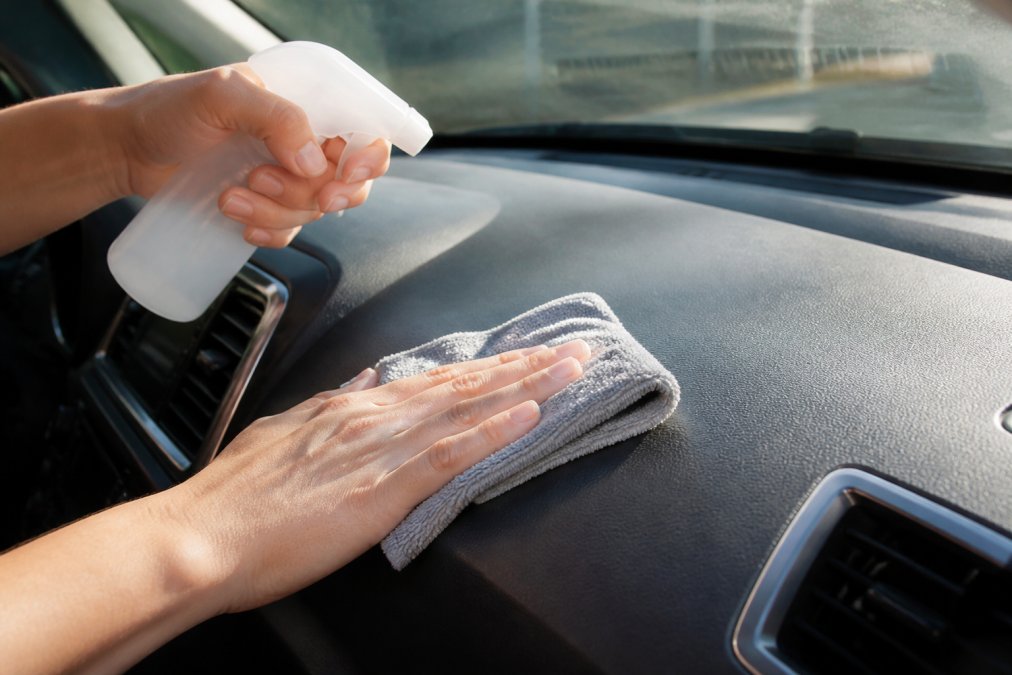
Avoid harsh chemicals that damage your dashboard. Use isopropyl alcohol or dashboard-safe cleaner only.
Allow 5-10 minutes for complete drying. Any moisture reduces grip.
Assessing Your Mounting Surface and Choosing the Right Adhesive Type
Dashboard surface type determines which adhesive or mounting pad maintains grip. Textured plastic holds better than smooth plastic; leather or vinyl require extra grip solutions.
Textured plastic dashboards have microscopic ridges that grip adhesive well. Standard adhesive pads and gel-based suction cups work reliably. Isopropyl alcohol cleaning is sufficient.
Smooth plastic dashboards provide minimal grip for adhesive. For smooth plastic, use high-tack adhesive pads, apply silicone primer to create micro-texture, or switch to suction cup or magnetic mounts.
Leather or vinyl dashboards require gel-based adhesive pads designed for leather. Test any adhesive on a hidden area first. Suction cup mounts are safer, leaving no residue.
Metal trim or aluminum accents are ideal for magnetic mounts. If your dashboard has metal sections, magnetic mounts provide the most stable solution and eliminate adhesive concerns entirely.
Material-Specific Preparation Guide
| Dashboard Material | Cleaning Method | Recommended Mount Type | Adhesive Notes |
|---|---|---|---|
| Textured plastic | Isopropyl alcohol, standard cloth | Adhesive pad, suction cup, magnetic | Standard adhesive works well; texture provides natural grip |
| Smooth plastic | Isopropyl alcohol + light abrasion (soft brush) | High-tack adhesive pad or suction cup | Requires premium-grip adhesive; consider primer for permanent installation |
| Leather/vinyl | Gentle cloth with minimal solvent | Suction cup or leather-safe gel pad | Avoid strong adhesives; test in hidden area first |
| Metal trim | Isopropyl alcohol | Magnetic mount | No adhesive needed; strongest option |
For very smooth dashboards, lightly roughen the surface with 220-grit sandpaper to create micro-texture, then apply your adhesive pad.
Choose the right adhesive for your dashboard material before installation.
How to Clean Suction Cup Phone Mount for Maximum Grip
Suction cups lose power as dust and oils accumulate. Cleaning restores grip without replacement.
Removing Residue and Buildup
Remove the mount and examine the suction cup. Cloudy film or dust particles break the seal.
Wipe the suction cup with warm water and a soft cloth. For stubborn buildup, use isopropyl alcohol and rub in circular motions until clear.
Dry completely with a lint-free cloth. Any moisture reduces suction power.
Restoring Suction Power
A clean suction cup should feel sticky and hold on glass without effort. If not, the cup may be damaged.
For temporary restoration, wet the suction cup slightly with distilled water to create a temporary seal.
Test the cup on your windshield first. If it holds there, the problem is your dashboard surface, return to dashboard prep.
Choosing the Right Mounting Location
Location matters as much as preparation. The right spot keeps your phone secure through bumpy roads.
Choose a location with easy visibility, minimal direct sunlight, a smooth flat surface, away from air vents and heat sources, within arm's reach.
Avoid mounting near the steering wheel (blocks view) or directly in front of air vents (loosens mounts).
Adjustable Car Mount Magnetic Phone →
The center of the dashboard is often ideal, it's flat, gets less heat, and keeps your phone visible. If your dashboard curves, find the flattest section.
Test the location before committing. Place your mount without adhesive and drive normally. If stable, proceed with installation.
Preventing Phone Mount Melting in Summer Heat
Heat and cold both damage mounts differently. Understanding temperature effects helps you choose the right mount for year-round stability.
How Heat Damages Mounts
Standard adhesive pads can lose grip in high temperatures. Dashboard temperatures can exceed 160°F (71°C) in direct sunlight, which can cause summer failures.
Suction cups can lose elasticity in heat, which can reduce seal pressure and cause slippage on bumpy roads.
Magnetic mounts are heat-resistant since they rely on magnetic force, not adhesive or air pressure.
How Cold Damages Mounts
Below 40°F (4°C), suction cups become brittle and cannot create a seal, causing winter failures regardless of dashboard cleanliness.
Adhesive pads become less flexible in cold and prone to cracking during temperature swings.
Magnetic mounts perform consistently in cold since temperature doesn't affect magnetic force.
Practical Heat and Cold Prevention Strategies
For summer heat: Park in shade (sunshades reduce temperature by 20-30°F). Use heat-resistant silicone-based adhesives rated above 140°F. Avoid mounting directly in front of windows. Check mounts regularly and reseat if loose. For suction cups, wet slightly before driving to restore seal pressure.
For winter cold: Avoid suction cups below 40°F; use magnetic mounts instead. Allow extra curing time for adhesive pads in cold. Avoid rapid temperature changes, allow 5-10 minutes for equilibration.
Weight Considerations in Temperature Extremes
Temperature effects are amplified by phone weight. Heavier phones exceed reduced grip capacity in heat.
Temperature-Specific Mount Recommendations
| Climate Condition | Best Mount Type | Why |
|---|---|---|
| Hot summers (above 90°F / 32°C regularly) | Magnetic or silicone adhesive pad | Heat-resistant materials; magnetic unaffected by temperature |
| Cold winters (below 40°F / 4°C regularly) | Magnetic mount | Only reliable option; suction cups fail in cold |
| Year-round temperature swings (40-90°F / 4-32°C) | Magnetic mount | Consistent performance across temperature range |
| Mild climate (50-80°F / 10-27°C year-round) | Any type, with quality adhesive | Temperature is not a limiting factor |
For the most reliable solution across all seasons and temperatures, magnetic mounts eliminate the variables that cause traditional mounts to fail. They perform identically whether your car is parked in summer heat or winter cold.
Troubleshooting Loose Mounts and DIY Fixes
Your mount is already loose. Here's how to fix it without replacing the entire unit.
Testing Stability Before Driving
Test your mount by pulling firmly and pushing from different angles. It should not move.
If it shifts, don't drive with it loose. A falling phone while driving is dangerous.
Try these quick fixes for how to stop car phone mount from falling:
- Reseat the mount, remove and reapply adhesive or suction cup
- Clean both surfaces again, dust may have accumulated
- Add mounting pads, adhesive pads increase grip
- Switch mounting location, find a flatter, cleaner spot
- Tighten the locking lever, if your mount has one, ensure it's fully engaged
Quick Fixes for Mid-Drive Slippage
If your mount starts slipping while driving, pull over safely. Don't adjust it while moving.
Check what's loose. Is the suction cup losing grip? Is the mounting base separating from the adhesive? Is the phone cradle not gripping the phone tightly?
For suction cup issues, wet the cup slightly and reseat it. For adhesive separation, use adhesive mounting pads as a temporary fix. These pads add thickness and grip without new adhesive.
For a loose phone cradle, check if the locking lever is fully engaged.
Magnetic vs. Suction Cup Mounts: Which Stays Put
Both mount types work. Each has strengths and weaknesses. Your choice depends on your priorities.
| Mount Type | Best For | Durability | Heat Resistance |
|---|---|---|---|
| Suction Cup | Any phone, flexible placement | 1-2 years | Poor |
| Magnetic | Phones with metal plates, long-term use | 3+ years | Excellent |
| Adhesive Pad | Permanent installation, curved surfaces | 2-3 years | Moderate |
| Non-Slip Mat | Dashboard mounting, no adhesive | 3+ years | Excellent |
Frequently Asked Questions
Why does my car phone mount keep falling off?
Your car phone mount falls because the mounting surface isn't clean, the suction cup has lost grip, or you're mounting it on textured plastic instead of smooth dashboard. Dust, oils, and residue reduce adhesion. Temperature changes can weaken the seal. Additionally, rough roads create vibration that destabilizes mounts on poor surfaces. Start by cleaning both the dashboard and suction cup with isopropyl alcohol, then reposition to a flatter, smoother area of your dashboard.
How do I clean a suction cup for better adhesion?
Wash the suction cup with warm soapy water and dry it completely. Use isopropyl alcohol on a cloth to remove any remaining residue or buildup. If the cup has become sticky or has visible damage, replace it. For reusable gel cups, rinse under running water and let air-dry before reinstalling.
What's the best way to prepare my dashboard for a phone mount?
Clean your dashboard thoroughly with a microfiber cloth and a gentle degreaser or isopropyl alcohol solution. Remove all dust, oils, and wax buildup. Choose a smooth, flat area, avoid textured plastic, air vents, or curved surfaces. Allow the dashboard to dry completely before installing. Test the surface by pressing your hand firmly on it; if it feels slippery or oily, clean again. Proper surface preparation is the single biggest factor in preventing your mount from falling.
Does summer heat affect how well my phone mount stays in place?
Yes, heat significantly impacts mount performance. High temperatures can weaken the seal. Suction cups lose grip in extreme heat, and adhesive mounts can soften or fail. Magnetic mounts are generally more heat-resistant than suction cups. To prevent phone mount melting in summer, park in shade when possible, use a sunshade, and check your mount's stability on hot days. Consider a magnetic mount if you live in a hot climate.